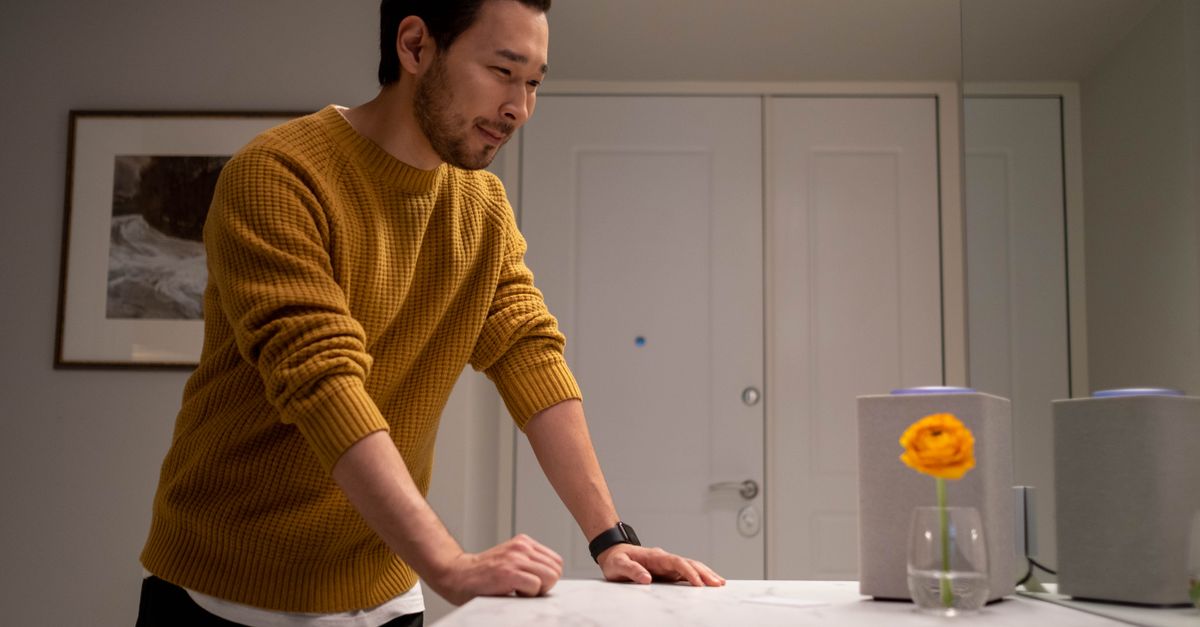
Why Your Smart Speaker Doesn't Listen (And What Actually Works for Real Control)
You just want to turn on the lights. Or play that one song. Or find out what the weather is. You speak clearly, perhaps a little louder than usual, enunciating every syllable. “Alexa, turn on the living room lights!” You wait. Nothing. “Hey Google, play some jazz!” Silence. You repeat yourself, maybe adding a frustrated sigh. Still nothing. Or worse, it responds with, “I’m sorry, I don’t understand,” or plays something entirely irrelevant. You know the drill. This isn’t just an occasional glitch; for many, it’s a daily battle that erodes the very convenience smart speakers promise.
I’ve spent countless hours integrating smart home devices, often wrestling with the same voice assistant frustrations you encounter. What I’ve learned, often through gritted teeth, is that the problem isn’t usually you or even a faulty device. It’s a fundamental misunderstanding of how these systems interpret commands and a reliance on default settings that are anything but smart. The sleek marketing promises effortless interaction, but the reality is that without a deeper understanding of their limitations and how to strategically configure them, your smart speaker will remain more of a stubborn housemate than a helpful assistant. We’re often asking them to do too much, too vaguely, and expecting human-like comprehension from what are, at their core, complex but ultimately literal machines.
Key Takeaways
- Generic commands often fail; restructure your requests to be precise, linking devices and actions explicitly.
- Invest in a strong, stable Wi-Fi network and ensure optimal speaker placement to eliminate common connectivity issues.
- Customize device names and create specific routines or scenes to simplify complex commands and improve reliability.
- Prioritize direct integrations over third-party bridges to minimize latency and potential points of failure.
- Understand that voice control is a supplement, not a replacement, for physical or app-based control.
The Illusion of Natural Language: Why ‘Just Talking’ Fails
When we interact with smart speakers, we instinctively use natural language, much like talking to another person. “Turn on the TV,” “Dim the lights a bit,” or “Play my morning playlist.” The marketing reinforces this idea, showing seamless, intuitive interactions. The reality, however, is that smart speakers, despite their impressive advancements, are not truly understanding natural language in the human sense. They operate on complex algorithms designed to recognize patterns and keywords, then map those to pre-defined actions. When your request deviates from these expected patterns, even slightly, the system breaks down.
In my experience setting up dozens of smart homes, the biggest hurdle is this gap between human expectation and machine literalism. For example, if you say, “Turn on the big light,” and your device is named “Ceiling Light,” your smart speaker has no way of knowing ‘big light’ refers to ‘Ceiling Light.’ It’s not inferring context; it’s searching for a direct match or a pre-programmed synonym. The mistake I see most often is users expecting the speaker to understand intent rather than specific commands. This leads to a cascade of frustration, as vague requests lead to non-responses or incorrect actions.
What changed everything for me was recognizing that I needed to train myself to speak the speaker’s language, not the other way around. This means being explicit, consistent, and simplifying my vocabulary for the assistant. Instead of “Can you please make the room brighter?” I learned to say, “Set living room lights to 80 percent.” This removes ambiguity, reduces processing time, and drastically improves the success rate of commands. It’s less about sounding natural and more about being technically precise. This isn’t just about single commands; it extends to how you name your devices and configure your routines, ensuring that every command has a clear, unambiguous target within the speaker’s operational dictionary.
The Unseen Network: How Wi-Fi and Placement Sabotage Your Commands
It’s easy to blame the smart speaker itself when it doesn’t respond. After all, it’s the device that isn’t listening. However, in a surprising number of cases, the true culprit is an unreliable or overloaded Wi-Fi network, or suboptimal placement of the speaker itself. A smart speaker is only as smart as its connection to the internet and its ability to hear you clearly. When these foundational elements are weak, even the most perfectly phrased command will fail.
Think about it: when you speak a command, that audio needs to be captured by the speaker’s microphones, processed to recognize the wake word, then converted into text, sent over your Wi-Fi network to the cloud for interpretation, and finally, the action command sent back to your home devices, again over Wi-Fi. Each step is a potential point of failure. A weak Wi-Fi signal means delays, dropped commands, or the cloud service not receiving your request at all. Overcrowded Wi-Fi channels, too many devices competing for bandwidth, or an aging router can all contribute to this digital deafness.
In my own home setup, I once had a smart speaker in the kitchen that consistently ignored me. I spent weeks troubleshooting commands, only to discover the issue was a dead spot in my Wi-Fi coverage due to a thick load-bearing wall. What actually worked to fix it was investing in a mesh Wi-Fi system that ensured strong, consistent signal strength throughout the house. Furthermore, positioning the speaker away from reflective surfaces (like large windows or bare walls) and noisy appliances (like dishwashers or washing machines) dramatically improved its ability to pick up my voice. The microphone arrays on these devices are good, but they’re not magic. They struggle with ambient noise, echoes, and distance. Placing your speaker within 10-15 feet of your usual speaking location, in an area free from major obstructions and competing noise, is critical. This seemingly minor adjustment can be a game-changer for command reliability, ensuring that the critical first step of your voice command – being heard – is consistently successful.
The Power of Precision: Naming Conventions and Routines
The single most impactful change you can make to improve your smart speaker’s responsiveness is to optimize your device naming conventions and leverage custom routines. This is where you truly take control and move beyond the generic, often frustrating, default settings. Your smart speaker is a powerful tool, but like any tool, it performs best when given clear, concise instructions. The mistake I see most often is people sticking with manufacturer-assigned names like “Smart Plug 1” or “LED Strip Light Pro” and then getting annoyed when their speaker doesn’t intuit what they mean by “Turn on the lamp” or “Change the lights behind the TV.”
What changed everything for me was adopting a systematic approach to naming. For instance, instead of Living Room Light, Living Room Lamp 1, Living Room Lamp 2, I use names that are distinct and easy for the speaker to differentiate and for me to remember: Overhead Light, Reading Lamp, Accent Light. Crucially, these names should be unique enough not to be confused with other devices or common words, yet descriptive enough for you to recall them easily. Avoid similar-sounding names that might confuse the speaker’s phonetics. I recommend writing down your device names and practicing them a few times to ensure they roll off the tongue and are easily recognized.
Beyond naming, custom routines or scenes are your ultimate weapon. These allow you to bundle multiple actions into a single, simple command. Instead of saying, “Alexa, turn off the kitchen lights, then turn off the living room lights, then arm the security system,” you can create a routine called “Goodnight” that executes all those steps with one phrase: “Alexa, goodnight.” This reduces the chance of misinterpretations, improves speed, and significantly enhances the user experience. You can create routines for arrival, departure, movie night, morning coffee – essentially any multi-step process. In my own setup, the ‘Movie Night’ routine dims the lights, turns on the TV and soundbar, and closes the blinds, all with one command. This level of precision and automation makes your smart speaker feel truly intelligent, because you’ve intelligently programmed it to be so. It moves the effort from the moment of command to the upfront configuration, paying dividends in daily convenience.
Bridging the Gap: Direct Integration vs. Third-Party Apps
One common pitfall that often leads to smart speaker unresponsiveness is relying too heavily on complex chains of third-party integrations. While services like IFTTT (If This Then That) and various manufacturer apps promise seamless connectivity between different brands of smart devices, each additional layer in the command chain introduces potential points of failure, latency, and communication breakdowns. The more ‘bridges’ your command has to cross, the higher the chance it gets lost in translation or simply takes too long to execute, making the interaction feel clunky or entirely unresponsive.
In my extensive experience connecting various smart home gadgets, I’ve found that direct integrations almost always outperform convoluted setups. For example, if you have Philips Hue lights and an Amazon Echo, connecting Hue directly to Alexa is far more reliable than routing commands through a separate smart home hub app that then communicates with Hue, which then communicates with Alexa. Each additional app or service needs its own internet connection, its own server to respond, and its own API to process the command. Any hiccup in any one of those steps can cause your simple request to fail.
What actually works is prioritizing direct integrations whenever possible. When purchasing new smart devices, research their native compatibility with your primary smart speaker ecosystem (e.g., Google Home, Amazon Alexa, Apple HomeKit). Look for devices that explicitly state “Works with Alexa” or “Works with Google Assistant” without requiring an intermediary app or hub unless that hub is from the same ecosystem (like a SmartThings hub for Zigbee devices). If you must use a third-party bridge, ensure it’s a robust, well-supported platform with a proven track record. Regularly check for firmware updates for all your devices and hubs, as these often contain crucial bug fixes and performance improvements. By minimizing the complexity of your smart home’s communication pathways, you streamline the command process, reduce latency, and dramatically improve the reliability and responsiveness of your smart speaker interactions. This approach reduces the cognitive load on the system and, in turn, your own frustration levels.
The Limits of Voice: Embracing Hybrid Control
Perhaps the most valuable lesson I’ve learned from years of smart home experimentation is that voice control, while incredibly convenient, is not a panacea. It’s a powerful supplement to traditional and app-based controls, not a wholesale replacement. The expectation that every interaction should or could be voice-activated is a common misconception that sets users up for disappointment. There are inherent limitations to voice commands – privacy concerns, the potential for misinterpretation, background noise interference, or simply the social awkwardness of barking commands at inanimate objects when guests are present.
I vividly recall trying to set up a complex lighting sequence for a party using only voice commands. It was a chaotic mess of repeated phrases, incorrect colors, and mounting frustration. What actually worked, and what I now advocate, is a hybrid control strategy. This means having physical smart buttons or switches for frequently used actions, well-designed apps for complex configurations, and voice control for quick, simple tasks or when your hands are full. For example, a smart light switch on the wall for the living room lights is often quicker and more reliable than a voice command, especially for guests who aren’t familiar with your specific routines.
Integrating smart buttons (like those from Flic, Aqara, or Philips Hue) into your setup can provide tactile, immediate control for essential actions, bypassing the voice assistant entirely when desired. Similarly, spending a few minutes organizing your smart home app with intuitive groupings and scenes can make complex adjustments effortless. Think of your smart speaker as an additional interface, one that excels in certain scenarios (like turning off all lights from bed) but isn’t always the best interface. By accepting and designing for these limitations, you create a far more robust, reliable, and ultimately enjoyable smart home experience. It’s about intelligently distributing control mechanisms, so you always have the most appropriate tool for the job, rather than forcing every interaction through a single, imperfect channel. This approach allows you to leverage the unique strengths of voice control without being entirely dependent on its inherent frailties.
Beyond the Basics: Understanding System Load and Wake Word Sensitivity
Even with optimized Wi-Fi, clear naming, and direct integrations, some smart speakers can still seem stubborn. This often boils down to two less-obvious factors: system load and wake word sensitivity settings. Just like a computer, your smart speaker has a finite amount of processing power. If it’s simultaneously streaming high-quality audio, managing multiple complex routines, and pushing notifications, its ability to quickly and accurately process a new voice command can be hampered. It’s not just about what you’re asking it to do now, but what it’s already doing in the background. The mistake I often see is assuming these devices have unlimited processing capacity, leading to frustration when simple commands are delayed or ignored during peak activity.
In my troubleshooting, I’ve observed that older or lower-spec smart speakers are more prone to these slowdowns. If you have a first-generation Echo Dot trying to juggle a Spotify stream, a video call, and five complex lighting routines, it’s going to struggle. What actually works to mitigate this is understanding your device’s capabilities and, if possible, offloading heavier tasks. For instance, if you primarily use a smart speaker for music, consider dedicating a device specifically for that purpose or upgrading to a model with more robust processing power if responsiveness is paramount. Sometimes, a simple reboot of the speaker can clear its cache and improve performance, much like restarting a computer.
Secondly, wake word sensitivity is often overlooked. Most smart speakers allow you to adjust how easily they respond to their wake word (“Alexa,” “Hey Google,” etc.). If your speaker is constantly activating due to background noise (TV, conversations, children playing), or conversely, requiring you to shout, adjusting this setting can make a huge difference. In a noisy household, you might need to lower the sensitivity to prevent accidental activations. In a very quiet room or if you often speak from a distance, increasing it might be beneficial. Through experimentation, I found that fine-tuning this setting in the device’s companion app dramatically improved the speaker’s ability to discern my commands from ambient noise, making interactions far more precise and less frustrating. It’s about finding that sweet spot where the speaker is attentive without being overly eager or consistently ignoring your calls. This personalized tuning is a critical step in making your smart speaker a truly responsive and integrated part of your daily life.
The Privacy Paradox: Balancing Convenience with Data Security
While the focus of this article is on improving responsiveness, it’s impossible to discuss smart speakers without touching on the inherent privacy paradox. The very technology that makes them convenient – always-on microphones, cloud processing of voice commands – also introduces significant privacy considerations. Many users, myself included, have moments of hesitation, wondering if our conversations are truly private. This isn’t just an abstract concern; reports of accidental recordings and human review of voice snippets are well-documented. The mistake often made is either ignoring these concerns entirely for convenience or letting them paralyze you into not utilizing the technology effectively.
My approach has evolved to one of informed caution and strategic usage. I acknowledge that perfect privacy with an always-listening device is an oxymoron. However, what actually works for me to balance convenience with acceptable privacy is a multi-faceted strategy. First, I’m selective about where smart speakers are placed. For instance, I avoid placing them in bedrooms or sensitive areas where private conversations are likely. Instead, I focus on communal areas like living rooms or kitchens where the convenience outweighs the slightly elevated risk.
Secondly, I regularly review and manage my privacy settings within the companion apps (Alexa app, Google Home app). This includes opting out of human review of voice recordings, deleting voice history periodically, and reviewing permissions for third-party skills or actions. Understanding exactly what data is being collected and having the ability to manage it provides a crucial layer of control. What changed everything for me was realizing that I don’t need a smart speaker in every single room. Strategically placed devices, coupled with diligent privacy management, allow me to enjoy the benefits of voice control without feeling like I’ve completely surrendered my digital sovereignty. It’s about making conscious choices, not just passively accepting default settings, and treating these powerful devices with the respect and scrutiny they demand. This mindful approach ensures that your pursuit of a more responsive smart home doesn’t come at an unacceptable personal cost.
Frequently Asked Questions
Q1: My smart speaker randomly activates. How can I stop it?
A1: This is usually due to the wake word being triggered by similar-sounding words in TV shows, conversations, or even children’s voices. First, try reducing the wake word sensitivity in your smart speaker’s companion app settings. If available, you can also consider changing the wake word to something less common. Ensure the speaker is not placed too close to a TV or other consistent noise sources. Some speakers also have a ‘do not disturb’ mode or a physical mute button you can use during sensitive times.
Q2: Why does my smart speaker take so long to respond, even to simple commands?
A2: Slow responses often point to network issues or an overloaded system. Check your Wi-Fi signal strength near the speaker; a mesh Wi-Fi system can help if you have dead spots. Ensure your router isn’t ancient and is powerful enough for your home’s connected devices. Also, consider the speaker’s workload – if it’s streaming music, updating software, or running complex routines, it might be momentarily bogged down. A quick reboot of the speaker and your router can sometimes resolve temporary slowdowns.
Q3: My smart speaker understands me but says it can’t find the device. What’s wrong?
A3: This typically indicates a communication breakdown between your smart speaker and the actual smart device (e.g., light bulb, thermostat). First, verify that the smart device itself is powered on and connected to your home network. Double-check its name in the smart speaker’s app to ensure it matches exactly what you’re saying. If it’s a third-party device, ensure its dedicated app is working and that the integration with your smart speaker ecosystem is still active and authorized. Sometimes, unlinking and relinking the device or skill in the smart speaker app can fix this.
Q4: Should I use generic names for my devices or specific ones?
A4: Always opt for specific, unique, and easy-to-pronounce names for your devices. Avoid generic terms like “light” if you have multiple lights. Instead of “Bedroom Light 1,” use “Bedside Lamp” or “Ceiling Fan Light.” This helps your smart speaker differentiate between devices and reduces ambiguity, leading to more accurate command execution. Test the names by saying them aloud to ensure they don’t sound too similar to other devices or common words your speaker might misinterpret.
Q5: Is it better to buy all smart home devices from the same brand?
A5: While sticking to a single brand can simplify setup and ensure smoother integration, it’s not always necessary or practical. Prioritize devices that offer strong, direct integration with your chosen smart speaker ecosystem (Alexa, Google Assistant, HomeKit). Look for explicit “Works With” labels. Mixing brands is fine, but be mindful of how they communicate. Devices that require numerous third-party apps or complex workarounds for basic functionality tend to be less reliable. Prioritize direct, native integration paths to minimize points of failure and improve overall responsiveness.
In conclusion, mastering your smart speaker isn’t about magical voice recognition; it’s about understanding its mechanical nature and strategically optimizing your setup. The journey from frustration to effortless control begins with precision in your commands, robustness in your network, and intentionality in your configurations. By moving beyond generic expectations and embracing a more deliberate approach to device naming, routine creation, and integration choices, you’ll transform your smart speaker from a stubborn gadget into the responsive, helpful assistant it was always meant to be. Take these steps, and you’ll spend less time repeating yourself and more time enjoying the seamless convenience that true smart home control offers. Your smart speaker is ready to listen; you just need to speak its language.
Written by Elias Vance
Hardware reviews, product teardowns, engineering insights
A former R&D engineer, Elias possesses an uncanny ability to dissect new hardware and explain its inner workings.
You Might Also Like
Why Your Car Stereo Has No Bass (And What Actually Works for Deep, Punchy Sound)
Struggling with weak car audio bass? Learn the hidden reasons your stereo lacks punch and discover real solutions for deep, impactful low end.
Why Your New Phone Charger Feels Slow (And What Actually Works for Real Speed)
Discover why your new phone charger might be underperforming and the concrete steps to achieve true fast charging, not just advertised speeds.

Why Your Car Stereo Sounds Muddy (And What Actually Works for Real Clarity)
Is your car audio lacking clarity? Elias Vance explains why factory systems often sound muddy and shares expert tips to achieve crisp, clear sound.