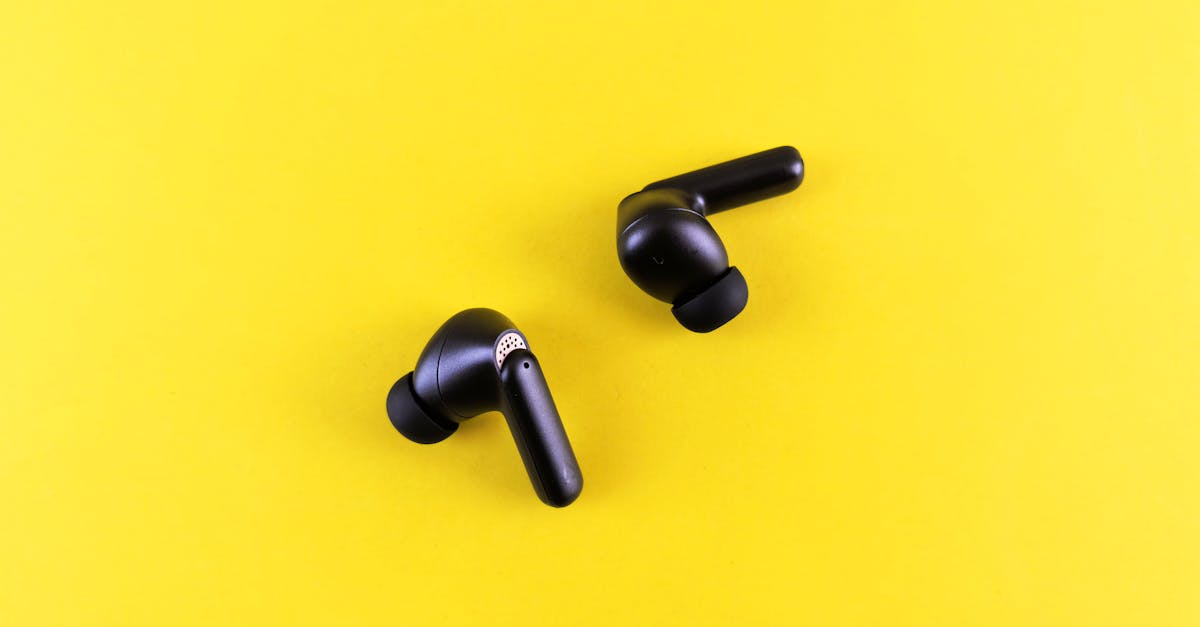
Why Your Bluetooth Earbuds Sound Terrible (And What Actually Works for Great Audio)
You bought a new pair of sleek, wireless Bluetooth earbuds. The reviews raved about their ‘crisp highs’ and ‘deep bass.’ You unbox them, pair them with your phone, press play on your favorite track, and… they sound… fine. Maybe even a little muddy, lacking detail, or just not as immersive as you expected. You immediately blame the earbuds themselves, thinking you should have shelled out more cash or that wireless audio is inherently inferior. You might even conclude that your ears just aren’t ‘audiophile enough’ to appreciate the supposed quality.
I’ve been there. As someone who spends countless hours with audio hardware, tearing apart devices, and scrutinizing specifications, I’ve seen this exact scenario play out countless times – both for myself and for friends. The truth is, the culprit behind disappointing Bluetooth audio is rarely just the earbuds. It’s almost always a combination of overlooked technical limitations and common user mistakes that create a bottleneck in your listening experience. You could have top-tier drivers in your ears, but if the signal getting to them is compromised, you’re just listening to a high-fidelity rendering of a low-fidelity source.
This isn’t about snobbery or chasing esoteric golden cables. It’s about understanding the practical realities of wireless audio transmission and making informed choices that significantly improve your everyday listening. What changed everything for me was recognizing that Bluetooth audio is a system, and every link in that chain matters. Stop blaming your ‘cheap’ earbuds and start looking at the bigger picture.
Key Takeaways
- Your earbuds aren’t always the problem; poor sound quality often stems from Bluetooth codec limitations and source device incompatibility.
- Prioritize higher-quality Bluetooth codecs like LDAC or aptX Adaptive on both your source device and earbuds for noticeably better audio fidelity.
- Streaming quality matters significantly; even premium earbuds can’t fix audio compressed by low-bitrate music services or files.
- Small details like earbud fit and proper ear tips dramatically impact perceived sound quality, especially bass response and noise isolation.
The Codec Conspiracy: Why ‘Bluetooth’ Isn’t One-Size-Fits-All
The biggest misconception I encounter is the belief that ‘Bluetooth’ is a singular, consistent audio pipeline. It’s not. Bluetooth, when it comes to audio, is a negotiation. Your phone (or laptop, or tablet) and your earbuds need to agree on a ‘codec’ – essentially a language for compressing and transmitting audio data. This compression is necessary because Bluetooth’s wireless bandwidth is limited. And here’s the kicker: not all codecs are created equal.
Most people, without realizing it, are stuck with the lowest common denominator: SBC (Subband Coding). It’s the universal language of Bluetooth audio, mandatory for all devices, but it’s also the least efficient. SBC compresses audio heavily, discarding a lot of the finer details, leading to that muddy, flat sound you might be experiencing. It’s like streaming a high-resolution movie on a slow internet connection; the picture quality suffers dramatically, even if your TV is 8K.
In my experience, the mistake most often made is assuming that just because a device has Bluetooth, it’s utilizing the best possible audio codec. This is rarely the case unless you actively check. Many devices, even mid-range ones, default to SBC for maximum compatibility, regardless of the earbuds’ capabilities. If your earbuds support a higher-fidelity codec like AAC (Advanced Audio Coding), aptX (various versions like HD, Adaptive), or LDAC, but your phone only outputs SBC, you’re getting SBC-quality audio.
What actually works? You need to ensure both your source device (e.g., smartphone) and your earbuds support the same, higher-quality codec. For iPhone users, AAC is the highest quality native codec you’ll get, and it’s generally quite good. For Android users, the landscape is more diverse and often more confusing. You might have access to aptX variants or LDAC. LDAC, developed by Sony, is particularly impressive, offering near-lossless audio transmission if both devices support it and the source audio is high quality. To check on Android, go to Developer Options in your phone settings (you might need to enable it by tapping the build number seven times in ‘About Phone’). There, you can often see and even force a specific Bluetooth audio codec, assuming your connected earbuds support it. If you try to force a codec your earbuds don’t support, it will typically revert to the highest common one.
The Source Material: Garbage In, Garbage Out
Imagine trying to watch a grainy, low-resolution video file on a stunning 4K OLED TV. The TV can display incredible detail, but if the source material isn’t there, it can’t invent it. The same principle applies to audio, and it’s a critical point often missed when troubleshooting poor earbud sound.
Many people are streaming music from services that, by default, offer highly compressed audio. Spotify’s free tier, for example, streams at a maximum of 160 kbps (kilobits per second). Even its premium tier, at 320 kbps, is still a lossy format, meaning data has been discarded to reduce file size. Compare this to CD quality, which is roughly 1411 kbps, or hi-res audio, which can go much higher. Trying to discern ‘crisp highs’ and ‘deep bass’ from a heavily compressed 160 kbps stream is like trying to read fine print through blurry glasses – no matter how good your eyes (or earbuds) are, the information just isn’t there.
What changed everything for me was subscribing to a lossless streaming service and ensuring I was playing high-quality local files. Services like Tidal, Qobuz, Apple Music (with Lossless enabled), or Amazon Music HD offer CD-quality (16-bit/44.1kHz) or even hi-res (up to 24-bit/192kHz) audio. The difference, especially when paired with earbuds supporting a decent codec like LDAC or aptX HD/Adaptive, is genuinely noticeable. Vocals gain clarity, instruments separate, and soundstages open up. It’s not a subtle nuance for audiophiles; it’s a fundamental improvement in the richness and detail of the sound.
Start by checking the quality settings in your music streaming app. Most have options to increase streaming quality, often labeled ‘High’ or ‘Lossless.’ Be mindful that higher quality consumes more data and battery, so balance it with your data plan and daily usage. But if you’re serious about getting the best sound, investing in a lossless streaming subscription is a non-negotiable step.
The Fit Factor: Your Ears Are Not One-Size-Fits-All
This is perhaps the simplest, yet most frequently overlooked, aspect of earbud sound quality. I can’t tell you how many times I’ve seen someone complain about ‘no bass’ from their expensive earbuds, only to find they’re using the default medium ear tips that came in the box, which barely seal their ear canal.
Your ear canal is unique, like a fingerprint. Earbuds, particularly in-ear monitors (IEMs) or true wireless earbuds, rely heavily on forming a proper seal within your ear canal. Without a good seal:
- Bass disappears: Low frequencies need a closed acoustic environment to resonate and be perceived. If air can escape, the bass response will be weak, thin, or entirely absent.
- Noise isolation is compromised: External sounds leak in, masking details in your music and forcing you to increase the volume, which is detrimental to hearing health.
- Soundstage suffers: The sense of space and imaging in your music requires a consistent acoustic environment.
What actually works for me, and what I recommend to everyone, is to experiment with different ear tips. Most earbuds come with at least three sizes (small, medium, large) made of silicone. Try every single size. Don’t assume you’re a ‘medium’ just because it’s the default. You might even need different sizes for each ear. The goal is a snug, comfortable fit that creates an airtight seal without causing discomfort.
Beyond the default silicone, consider investing in aftermarket ear tips. Foam ear tips (like Comply foam) expand to conform to your ear canal, offering superior comfort, a better seal, and often improved bass and noise isolation. They can be a game-changer for sound quality. There are also specialized silicone tips with different shapes and materials. This small, relatively inexpensive tweak can transform the sound of your earbuds more dramatically than any software setting or fancy cable.
Bluetooth Version Hype: It’s Not as Crucial as You Think
Manufacturers love to tout the latest Bluetooth version number (5.0, 5.2, 5.3, etc.) as a key selling point for audio quality. While newer versions do offer improvements, the impact on sound fidelity itself is often less significant than people assume. This is another area where common misconceptions lead to misdirected frustration.
Newer Bluetooth versions primarily improve upon:
- Range: You can move further from your source device without dropouts.
- Stability: Fewer connection interruptions, especially in crowded wireless environments.
- Power efficiency: Longer battery life for both your earbuds and source device.
- Latency: Reduced delay between video and audio, crucial for gaming and watching videos.
- Multi-device connectivity: Better handling of multiple devices simultaneously (e.g., LE Audio’s Auracast).
While improved stability can indirectly lead to a perceived better experience (fewer dropouts are less annoying), the actual fidelity of the audio signal is still overwhelmingly dictated by the Bluetooth codec being used, not just the version number. You could have Bluetooth 5.3 earbuds connected to a Bluetooth 5.3 phone, but if they’re both defaulting to SBC, the sound quality won’t magically be better than Bluetooth 4.2 running aptX HD.
What actually works? Don’t obsess over the absolute latest Bluetooth version number. Instead, confirm that your source device and earbuds support a higher-fidelity codec, as discussed earlier. A device with Bluetooth 5.0 and LDAC support will sound significantly better than one with Bluetooth 5.3 and only SBC/AAC, assuming you’re using high-quality source audio. Focus your upgrade budget and attention on devices that prioritize excellent codec support, rather than just the marketing sizzle of the newest Bluetooth number.
The Environment: Interference and External Noise
Your listening environment plays a much larger role in perceived audio quality than many realize. Bluetooth operates in the 2.4 GHz frequency band, which is a crowded neighborhood. Wi-Fi networks, microwaves, other Bluetooth devices, and even certain smart home gadgets all compete for airwaves, creating potential for interference. This interference can cause:
- Audio dropouts: Brief interruptions in your music.
- Degraded audio quality: The codec might dynamically reduce bitrate to maintain a stable connection, leading to a temporary dip in fidelity.
- Increased latency: Delays in audio processing.
Furthermore, external noise is the ultimate enemy of perceived sound quality. If you’re listening on a busy street, in a noisy office, or on public transport, even the most pristine audio signal will struggle to be heard. This is where active noise cancellation (ANC) and passive noise isolation become critical, yet they’re often undervalued.
What actually works? First, be aware of your surroundings. If you’re experiencing consistent dropouts, try moving away from strong Wi-Fi routers or other potential sources of 2.4 GHz interference. Sometimes, a simple repositioning of your phone (e.g., from a back pocket to a front pocket) can improve signal stability by reducing body interference. For the noise aspect, this goes back to the importance of earbud fit and ear tip selection. A good seal provides excellent passive noise isolation, which is the first line of defense against external sound. For truly noisy environments, invest in earbuds with effective active noise cancellation (ANC). Don’t just look for ‘ANC’ as a feature; read reviews and test them if possible to ensure the ANC is genuinely effective. Good ANC creates a quieter canvas for your music, allowing you to hear the subtle details and enjoy your audio at a safer, lower volume.
Equalization (EQ): Tailoring Sound to Your Taste (and Fixing Flaws)
Many listeners assume their earbuds should sound perfect ‘out of the box.’ While good tuning is a hallmark of quality audio products, everyone’s hearing is different, and every earbud interacts with your unique ear canal slightly differently. This is where equalization (EQ) becomes a powerful tool that often goes unused or is used incorrectly.
EQ allows you to adjust the balance of different frequencies – boosting bass, enhancing mids, or taming harsh highs. It’s not just for ‘bass heads’ or ‘treble fanatics.’ It’s a fundamental tool for personalizing your listening experience and, critically, for correcting minor deficiencies in your earbuds’ default sound profile or compensating for your specific hearing.
What changed everything for me was embracing the power of subtle EQ adjustments. Many earbud companion apps now include a built-in equalizer. If yours doesn’t, third-party apps (like Poweramp Equalizer for Android or various desktop EQs) can offer system-wide control. Start with small adjustments. If you feel the bass is lacking, try a slight boost (1-2 dB) in the 60-100 Hz range. If vocals sound recessed, a gentle lift around 1-3 kHz can bring them forward. Avoid extreme boosts or cuts, as these can introduce distortion or make your audio sound unnatural. The goal is refinement, not radical alteration.
Beyond personal preference, EQ can also help compensate for poor earbud fit. If you simply can’t achieve a perfect bass seal, a modest bass boost via EQ can often mitigate the problem, although it’s always better to address the fit first. Don’t be afraid to experiment; you might discover a sound profile that genuinely elevates your listening beyond what you thought your earbuds were capable of.
Frequently Asked Questions
Q: Do expensive earbuds automatically sound better than cheap ones?
A: Not necessarily for the reasons most people think. While expensive earbuds often have better drivers, build quality, and more advanced features like excellent ANC, their actual sound quality can be bottlenecked by the same issues that plague cheaper ones: poor Bluetooth codec choice, low-quality source audio, or a bad fit. A well-fitting pair of mid-range earbuds playing lossless audio over LDAC will sound dramatically better than premium earbuds playing low-res audio over SBC with a poor seal.
Q: What’s the best Bluetooth codec for audio quality?
A: Currently, LDAC (Sony) and aptX Adaptive (Qualcomm) are generally considered the best, with LDAC often having a slight edge due to its higher maximum bitrate. Both offer near-lossless audio quality when supported by both the source device and the earbuds. AAC is also very good, especially for Apple devices. SBC is the baseline and generally the worst for fidelity.
Q: How can I tell which Bluetooth codec my earbuds are using?
A: On Android, you can check in the Developer Options menu (usually found by tapping ‘Build number’ seven times in ‘About phone’). Under ‘Networking’ or ‘Media,’ you’ll find ‘Bluetooth audio codec’ which shows the active codec and allows you to switch if your earbuds support multiple. On iOS, Apple devices exclusively use AAC as their highest-quality Bluetooth codec, so you don’t typically have codec options to choose from directly.
Q: Does Active Noise Cancellation (ANC) affect sound quality?
A: Good ANC should ideally not negatively impact sound quality, and can actually improve perceived quality by eliminating external noise, allowing you to hear more detail at lower volumes. However, poorly implemented ANC can introduce a subtle hiss, alter the frequency response, or create a ‘pressure’ sensation. High-quality ANC modules from reputable brands are designed to minimize these effects.
Q: My earbuds have great bass in some songs but not others. Why?
A: This is likely due to the mastering of the music itself. Some tracks are mixed and mastered with a much stronger bass presence than others. It’s also possible that the specific frequencies of the bass in one song are better reproduced by your earbuds’ drivers or are less affected by your earbud fit than others. Ensure your ear tips provide a consistent, tight seal for optimal bass response across all genres.
The Real Path to Great Wireless Audio
Stop letting the myth of inherent Bluetooth inferiority or the blame on ‘cheap’ hardware prevent you from experiencing truly excellent wireless audio. The reality is that a few informed choices and practical adjustments can dramatically elevate your listening. Focus on the often-overlooked bottlenecks: the Bluetooth codec, the quality of your source audio, and the fundamental importance of a proper fit. By addressing these areas, you’ll unlock the full potential of your earbuds, enjoying music with a clarity, depth, and detail that you might have previously thought impossible over a wireless connection. It’s not about spending more; it’s about spending smarter and understanding the ecosystem. Make these changes, and prepare to hear your music in a whole new light.
Written by Elias Vance
Hardware reviews, product teardowns, engineering insights
A former R&D engineer, Elias possesses an uncanny ability to dissect new hardware and explain its inner workings.
You Might Also Like
Why Your Car Stereo Has No Bass (And What Actually Works for Deep, Punchy Sound)
Struggling with weak car audio bass? Learn the hidden reasons your stereo lacks punch and discover real solutions for deep, impactful low end.
Why Your New Phone Charger Feels Slow (And What Actually Works for Real Speed)
Discover why your new phone charger might be underperforming and the concrete steps to achieve true fast charging, not just advertised speeds.

Why Your Car Stereo Sounds Muddy (And What Actually Works for Real Clarity)
Is your car audio lacking clarity? Elias Vance explains why factory systems often sound muddy and shares expert tips to achieve crisp, clear sound.