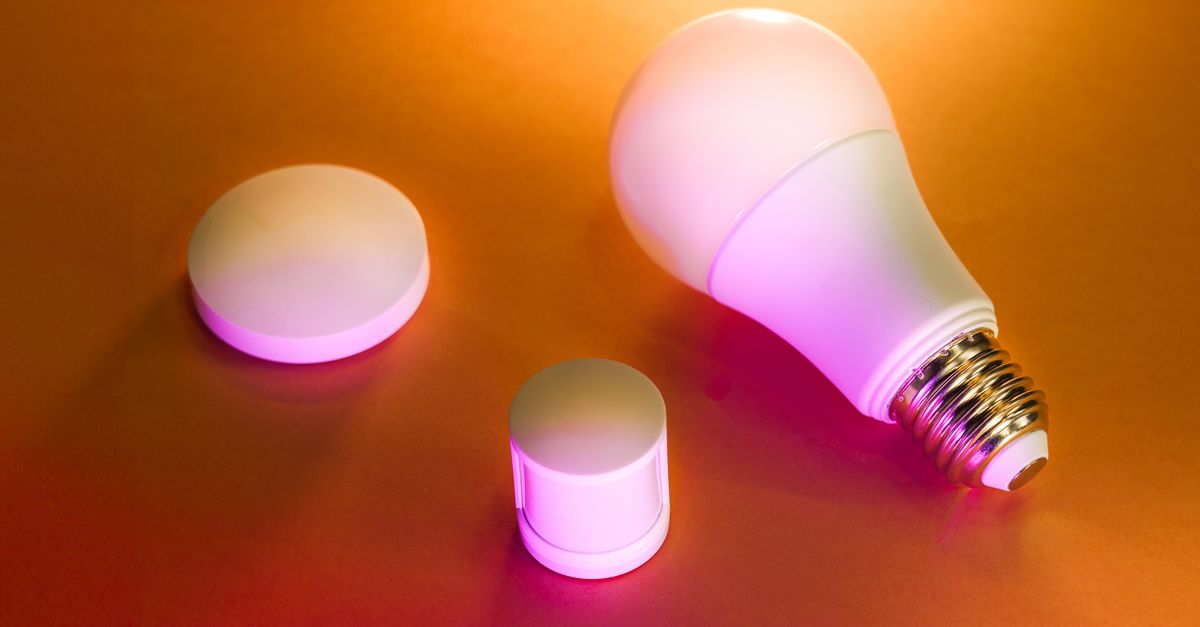
Why Your Smart Light Bulbs Are a Headache (And What Actually Works for Seamless Smart Home Lighting)
You bought smart light bulbs, envisioning effortless ambiance with a tap or a voice command. Instead, you’re constantly troubleshooting, battling unreliable connections, and wondering why something so simple has become such a headache. I hear this story all the time from people trying to build their smart homes, and I’ve experienced it myself. The promise of smart lighting — instant mood changes, energy savings, security automation — often clashes with the frustrating reality of dropped connections, slow responses, and outright failures.
The truth is, most people set up their smart lighting in a way that’s destined for disappointment. They fall for marketing hype that emphasizes ease of installation without explaining the underlying architecture required for true reliability. In my experience, the biggest mistake is treating smart bulbs as standalone gadgets rather than integrated components of a larger, robust smart home ecosystem. You plug them in, pair them with an app, and then scratch your head when they don’t respond consistently. This isn’t just an inconvenience; it can be a genuine security concern if your lights are supposed to deter intruders while you’re away, or a daily annoyance if you’re constantly fumbling for your phone or a traditional switch because your voice command failed.
My journey into smart lighting started with similar frustrations. I wanted lights that just worked, without constant attention. What I learned, often the hard way, is that achieving seamless smart lighting requires understanding the communication protocols, network dependencies, and control strategies that most manufacturers gloss over. It’s not about buying the ‘smartest’ bulb; it’s about building a stable foundation. What changed everything for me was shifting my focus from individual bulb features to the overarching system design.
Key Takeaways
- Avoid direct Wi-Fi bulbs for most whole-home setups due to network congestion and reliability issues.
- Invest in a dedicated smart home hub that uses Zigbee or Z-Wave for robust, scalable, and responsive lighting control.
- Implement smart switches or dimmers instead of relying solely on smart bulbs in lamps controlled by physical switches.
- Design your smart lighting to operate reliably even without an internet connection, prioritizing local control.
The Wi-Fi Overload Trap: Why Your Router Can’t Keep Up
Many entry-level smart light bulbs connect directly to your home Wi-Fi network. On the surface, this sounds simple: no extra hub needed. However, in my experience, this is the single biggest source of frustration for most users, especially as they expand their smart lighting. Every single direct-to-Wi-Fi bulb becomes another device demanding an IP address and bandwidth from your router. Your typical home router, designed primarily for a handful of computers, phones, and streaming devices, quickly gets overwhelmed when suddenly asked to manage 20, 30, or even 50+ smart bulbs, along with all your other connected devices.
The symptoms are unmistakable: lights that are slow to respond, app errors like ‘device offline,’ or bulbs that simply refuse to join the network. It’s not necessarily that your Wi-Fi is ‘bad,’ but rather that it’s being asked to do a job it wasn’t built for. Wi-Fi operates on a star topology, meaning every device has to communicate directly with the central router. Imagine trying to have 50 separate, simultaneous conversations with one person in a crowded room – that’s your router trying to manage dozens of direct-Wi-Fi devices.
What actually works is to minimize the number of direct Wi-Fi devices in your smart home, particularly for lighting. Instead, leverage alternative, lower-bandwidth wireless protocols designed specifically for smart home devices, like Zigbee or Z-Wave. These protocols are built for mesh networking, where each device can communicate with its neighbors, effectively extending the network’s range and reliability without burdening your Wi-Fi router. This dramatically reduces Wi-Fi congestion and improves response times, creating a much more stable environment for your smart lights.
The Hub Advantage: Unlocking Stability with Zigbee/Z-Wave
Transitioning from direct Wi-Fi bulbs to a hub-based system (like those using Zigbee or Z-Wave) was a game-changer for me. While it means an upfront investment in a dedicated hub (e.g., SmartThings, Hubitat, or even some Philips Hue bridges for just their lights), the benefits in stability, speed, and scalability are immense. These hubs act as a central coordinator for your smart home devices, taking the load off your Wi-Fi and providing a more robust communication backbone.
Zigbee and Z-Wave devices create a mesh network. This means that powered devices (like bulbs or smart plugs) can act as repeaters, extending the signal throughout your home. A command doesn’t have to travel directly from your hub to the furthest light; it can hop between bulbs, ensuring that even devices far from the hub receive commands reliably. This also means that as you add more devices, your network actually gets stronger and more reliable, instead of weaker, which is the opposite of Wi-Fi.
In my own home, switching to a Zigbee-based system for my core lighting eliminated almost all the ‘device offline’ errors I used to experience. Lights respond instantaneously, and automations trigger flawlessly. Furthermore, these hubs often offer local processing capabilities, meaning your smart routines can run even if your internet goes down, a critical factor for reliability and security. This is a crucial distinction from cloud-dependent Wi-Fi bulbs, which often become ‘dumb’ bulbs during an internet outage.
Beyond the Bulb: The Power of Smart Switches and Dimmers
Another common pitfall I see is relying solely on smart bulbs for every lighting need, especially in fixtures controlled by physical wall switches. Imagine this scenario: you put a smart bulb in a lamp, pair it up, and tell your smart assistant ‘turn off the living room light.’ It works. Then, someone walks by and flips the traditional wall switch to ‘off.’ The smart bulb loses power, becomes unreachable, and your smart home assistant can no longer control it. You’re left with a ‘smart’ light that’s now completely unresponsive until someone manually flips the physical switch back on.
This is where smart switches and dimmers shine. Rather than making the bulb smart, you make the circuit smart. By replacing your traditional wall switch with a smart switch (Zigbee, Z-Wave, or Wi-Fi, depending on your preference and hub setup), you gain control over any light fixture connected to that switch, whether it contains dumb bulbs or smart bulbs. The smart switch maintains constant power to the bulbs while still allowing them to be controlled digitally. This means your smart bulbs stay online and responsive, and anyone can still use the physical switch without breaking your smart home functionality.
In my experience, a hybrid approach works best. Use smart switches for ceiling lights and any fixtures with a traditional wall switch, and reserve smart bulbs for lamps where they provide unique features like color changing or fine-tuned dimming, and where the power source isn’t typically cut by a wall switch. This strategy ensures both local control for everyone in the house and robust smart functionality for your automations.
The Internet Dependency Trap: Local Control is King
Many smart devices, especially cheaper Wi-Fi-based ones, are heavily reliant on cloud services and an active internet connection. This means if your internet goes down, your smart lights can become completely unresponsive to app commands or voice control. Even worse, if the manufacturer’s cloud servers experience an outage (which happens more often than you think), your lights might become unusable even with a perfectly working internet connection.
This is a critical flaw that undermines the very idea of a ‘smart’ home. A truly smart home should prioritize local control for essential functions. In my experience, designing your lighting to operate reliably even without internet access is paramount for security and convenience. Imagine needing to turn on your porch light during a power flicker, only to find it unresponsive because the cloud service is down.
This is another area where dedicated smart home hubs (like Hubitat, Homey, or even Home Assistant running on a Raspberry Pi) excel. They process automations and commands locally, within your home network, rather than routing them through distant cloud servers. While some initial setup and remote access might require the internet, the day-to-day operation of your lights, especially critical automations like motion-activated pathways or scheduled on/off times, should be entirely local. This provides a level of reliability and peace of mind that cloud-dependent systems simply cannot match.
Overlooking Network Strength and Placement
Even with Zigbee or Z-Wave, network strength and device placement are critical and often overlooked factors. A mesh network is only as strong as its connections. If your hub is tucked away in a basement corner and your furthest lights are on the third floor at the opposite end of the house, you’re going to have reliability issues regardless of the protocol. Think of it like a chain: if one link is weak, the whole chain is compromised.
In my setup, I learned the importance of strategic placement. The hub should be as centrally located as possible, and you need to ensure a good distribution of powered devices (which act as repeaters) between the hub and your furthest endpoints. For Zigbee and Z-Wave, powered devices like smart plugs or in-wall switches are excellent for reinforcing the mesh network. Even if you don’t need a smart plug for a particular outlet, using one can dramatically improve the stability of a nearby smart bulb.
Another aspect is interference. Zigbee operates on the 2.4 GHz frequency, which can interfere with Wi-Fi on the same frequency. If you’re experiencing issues, check your router’s Wi-Fi channel and your Zigbee channel. Sometimes a simple adjustment can clear up interference. Investing a little time in planning your network layout and addressing potential interference points will save you countless hours of troubleshooting later. A strong, well-distributed mesh network is the silent hero behind a truly seamless smart lighting experience.
Frequently Asked Questions
What’s the biggest mistake people make with smart light bulbs?
The biggest mistake is typically choosing direct Wi-Fi bulbs for whole-home setups, leading to Wi-Fi network congestion, slow response times, and unreliable connections as more devices are added. They often overlook the benefits of dedicated smart home hubs with protocols like Zigbee or Z-Wave.
Do I need a smart home hub for my smart lights?
While some smart bulbs connect directly to Wi-Fi without a hub, for a reliable, scalable, and responsive smart lighting system, a dedicated smart home hub (e.g., SmartThings, Hubitat, Home Assistant) that supports Zigbee or Z-Wave is highly recommended. It offloads traffic from your Wi-Fi, creates a stronger mesh network, and often enables local control.
Can I use smart bulbs in lamps with regular wall switches?
You can, but it’s generally not recommended for optimal smart home integration. If the physical wall switch cuts power to the smart bulb, the bulb becomes ‘offline’ and unresponsive to smart commands. For fixtures controlled by wall switches, consider replacing the switch with a smart dimmer or switch instead of using smart bulbs.
What are Zigbee and Z-Wave, and why are they better for smart lights?
Zigbee and Z-Wave are wireless communication protocols specifically designed for low-power smart home devices. They create mesh networks, where devices communicate with each other to extend signal range and reliability. This reduces reliance on your Wi-Fi, minimizes congestion, and provides a more robust and responsive system for smart lighting than direct Wi-Fi connections.
What happens to my smart lights if my internet goes out?
For many direct Wi-Fi smart bulbs, an internet outage means they become uncontrollable via app or voice commands because they rely on cloud services. With a dedicated smart home hub that supports local processing, essential lighting routines and controls can often continue to function even without an active internet connection, providing greater reliability.
Achieving truly seamless smart lighting isn’t about finding a magic bullet; it’s about making informed choices about your smart home’s underlying architecture. By avoiding the common pitfalls of Wi-Fi overload and internet dependency, and instead embracing a hub-based, mesh network approach with smart switches and thoughtful placement, you can finally transform your lighting from a source of frustration into the effortless ambiance you initially dreamed of. Start by evaluating your current setup, invest in a robust hub if you haven’t already, and prioritize local control. Your smart home (and your sanity) will thank you for it.
Written by Jamal Hayes
Privacy, security tips, digital ethics, smart home tech
An ardent advocate for digital literacy, Jamal specializes in cybersecurity and practical digital living.
You Might Also Like

Why Your Car Stereo Has No Bass (And What Actually Works for Deep, Punchy Sound)
Struggling with weak car audio bass? Learn the hidden reasons your stereo lacks punch and discover real solutions for deep, impactful low end.
Why Your New Phone Charger Feels Slow (And What Actually Works for Real Speed)
Discover why your new phone charger might be underperforming and the concrete steps to achieve true fast charging, not just advertised speeds.

Why Your Car Stereo Sounds Muddy (And What Actually Works for Real Clarity)
Is your car audio lacking clarity? Elias Vance explains why factory systems often sound muddy and shares expert tips to achieve crisp, clear sound.