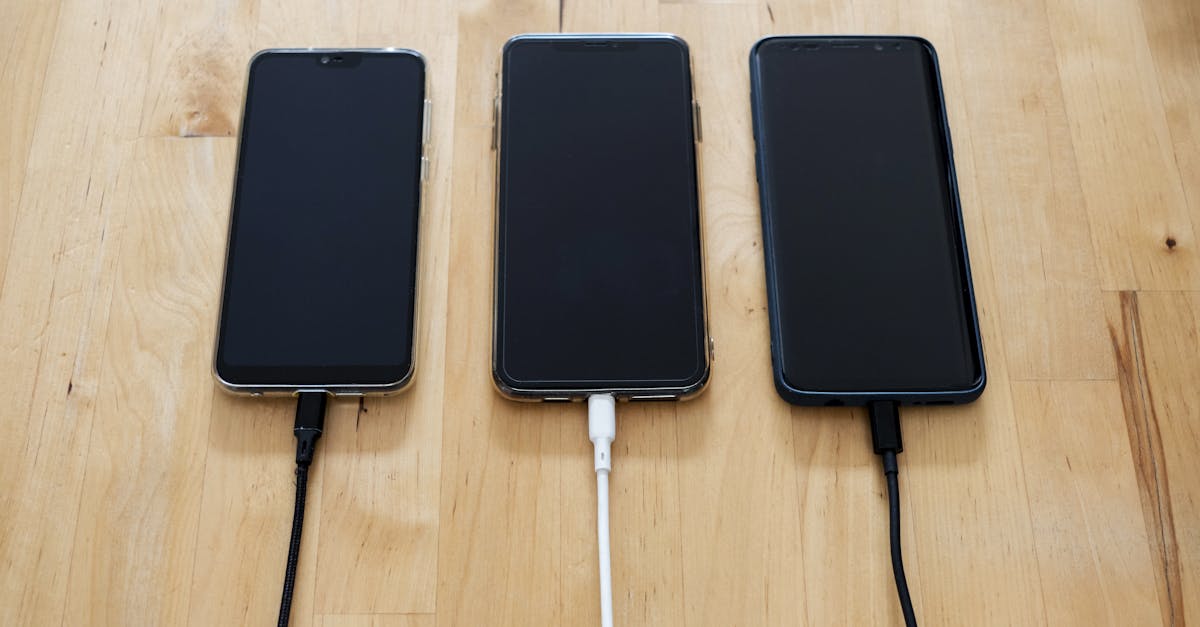
Why Your New Phone Charger Feels Slow (And What Actually Works for Real Speed)
You just bought a brand-new phone, maybe even splurged on a fancy ‘fast charger’ with a high wattage rating. You plug it in, eagerly anticipating those lightning-quick charge times advertised everywhere, only to find your phone is barely sipping power. It’s frustrating, isn’t it? You paid for speed, but you’re getting something closer to a trickle. In my experience, this isn’t a problem with the charger itself, but often a mismatch of components or a misunderstanding of how modern charging protocols actually work.
I’ve seen countless people, myself included, fall into the trap of buying a high-wattage brick only to realize their phone isn’t pulling anywhere near that power. The mistake I see most often is assuming all fast chargers and cables are created equal, or that a higher number on the adapter automatically means faster charging for your specific device. The reality is far more nuanced, involving a delicate dance between your phone’s capabilities, the charger’s output, and, crucially, the cable connecting them.
What changed everything for me was diving deep into USB Power Delivery (USB-PD) and Quick Charge standards. Once you understand these, you stop wasting money on incompatible gear and start seeing your phone charge at the speeds you always wanted. This isn’t just about raw wattage; it’s about compatibility, smart negotiation, and recognizing the weakest link in your charging chain. If you’re tired of waiting an hour for a 30% charge, let’s fix that.
Key Takeaways
- High wattage chargers alone don’t guarantee fast charging; your phone and cable must support the same fast-charging protocol (e.g., USB-PD, Quick Charge).
- Always prioritize USB-PD chargers with PPS (Programmable Power Supply) for modern smartphones, as this offers the most efficient and adaptable fast charging.
- The cable is a critical, often overlooked component; ensure it’s rated for the power and data transfer required by your fast-charging setup.
- Monitor your phone’s actual charging rate using apps to identify bottlenecks and confirm if your setup is truly delivering advertised speeds.
The Mismatch: Why Wattage Alone Doesn’t Tell the Full Story
Many consumers, understandably, look at a charger’s wattage rating as the sole indicator of speed. A 65W charger must be faster than a 30W one, right? Not necessarily. While wattage represents the maximum power a charger can deliver, your phone will only draw as much power as it’s designed to receive and as the charging protocol allows. This is where the mismatch typically occurs. Modern fast charging isn’t just about pushing raw volts and amps; it’s about a negotiation between the phone and the charger to find the optimal power profile.
For example, an iPhone 15 Pro Max supports up to about 27W charging, while some Android flagships like a Samsung Galaxy S23 Ultra can hit 45W or even higher. Plugging an iPhone into a 65W charger will still only pull around 27W. The extra wattage from the charger is simply unused overhead. The real issue is when you have a phone capable of, say, 45W, but your charger, despite being labeled ‘fast,’ only supports older, slower charging standards or lacks the specific voltage/amperage steps your phone needs. This is a common problem with generic chargers that might list high wattage but don’t implement the necessary protocols like USB Power Delivery (USB-PD) with Programmable Power Supply (PPS).
In my experience, many older ‘fast chargers’ that rely solely on Qualcomm’s Quick Charge (QC) standards (like QC 2.0 or 3.0) might fall short for newer phones that primarily leverage USB-PD. While some devices support both, the most efficient and truly universal fast charging for modern phones, especially those using USB-C, comes from USB-PD with PPS. If your phone supports 45W USB-PD PPS but your charger only offers 65W via an older, non-PPS USB-PD profile or Quick Charge, you might be capped at a much lower, less efficient speed, perhaps 18W or 27W.
To effectively troubleshoot, you need to know your phone’s maximum supported charging wattage and, crucially, the protocol it uses (e.g., USB-PD, QC, proprietary). This information is often in your phone’s specifications. Don’t just look for a high number on the charger; ensure it explicitly supports the protocols your phone needs for its highest speed.
The Protocol Predicament: USB-PD with PPS is Your Best Bet
This is the single most important factor that I’ve found to be overlooked by most people when trying to achieve fast charging. USB Power Delivery (USB-PD) is not just a standard; it’s a negotiation framework that allows devices to communicate and dynamically adjust voltage and current. Crucially, newer versions of USB-PD incorporate PPS (Programmable Power Supply). This is the game-changer for modern fast charging.
What PPS does is allow the charger to provide power in very fine, granular steps. Instead of fixed voltage levels (like 5V, 9V, 12V, 15V), PPS lets the phone request exact voltage and current combinations, maximizing efficiency and minimizing energy loss as heat. This directly translates to faster charging speeds, especially in the critical 0-50% range, and extends battery health by preventing excessive heat buildup.
Many phone manufacturers, including Samsung and Google, leverage USB-PD PPS for their fastest charging speeds. For example, a Samsung phone capable of 45W charging won’t hit that speed with a standard 45W USB-PD charger that lacks PPS. It will revert to a lower common denominator, perhaps 25W. This is why you might have a powerful-looking charger, but your phone feels sluggish. The charger is speaking a different dialect of fast charging.
When buying a new charger, always look for ‘USB-PD with PPS’ explicitly stated in the product description. This ensures the charger can intelligently communicate with your phone to deliver the precise power it needs, unlocking its true fast-charging potential. It’s the most future-proof and universally compatible standard for high-speed charging across a wide range of devices, from smartphones to laptops.
The Unsung Hero: Your Charging Cable Matters More Than You Think
It’s easy to assume all USB-C cables are the same. After all, they look identical. This is a costly mistake. The cable is a critical, often neglected component in your fast-charging setup. A cheap or incompatible cable can severely bottleneck your charging speed, even if you have a powerful charger and a compatible phone.
Here’s what I’ve learned through countless trials and frustratingly slow charges: Not all USB-C cables are rated for high wattage or high data transfer speeds.
- Power Rating: For fast charging, you need a cable rated for the power your charger can deliver. A cable designed for 15W or 20W charging will become the weakest link if you try to use it with a 45W or 65W charger. It simply can’t safely or efficiently transmit that much power. Look for cables explicitly labeled for 60W, 100W, or even 240W Power Delivery. These cables contain thicker gauge wires and often an E-Marker chip that communicates the cable’s capabilities to the connected devices, ensuring safe and optimal power flow.
- Data Transfer (for USB-C): While less critical for pure charging, if you’re using a USB-C to USB-C cable that also needs to handle data (e.g., connecting to a laptop or a monitor), ensure it’s rated for the appropriate USB standard (e.g., USB 3.0, USB 3.1, USB 4, Thunderbolt). A low-speed data cable might also be a low-power charging cable.
In my experience, generic or unbranded cables are the most common culprits for slow charging. They might work for basic charging, but they often lack the robust construction and proper rating for fast charging protocols. Investing in a high-quality, reputable USB-C cable (from brands like Anker, Belkin, UGREEN, or the phone manufacturer itself) that explicitly states its wattage rating is non-negotiable for achieving true fast charging speeds. Think of it as the superhighway for your power; a narrow dirt road won’t handle highway speeds, no matter how powerful the car.
Environmental Factors and Phone Behavior: Beyond the Hardware
Even with the perfect charger and cable, there are other factors that can influence your real-world charging speed. These are less about hardware compatibility and more about physics, software, and practical usage.
- Heat Management: Batteries charge fastest when cool. If your phone gets too hot during charging (e.g., due to heavy usage while charging, high ambient temperatures, or being covered), its internal battery management system will deliberately slow down the charging rate to prevent damage and extend battery lifespan. This is a feature, not a bug. If your phone feels unusually warm, that’s likely why it’s slowing down. Try removing its case, charging it in a cooler environment, or refraining from using it intensively during the fastest charging phase.
- Battery State of Charge: Batteries don’t charge linearly. They charge fastest when they’re nearly empty (typically 0-50% or 0-80%). As the battery fills up, the charging rate naturally slows down significantly to prevent overcharging and preserve battery health. This is known as the ‘trickle charge’ phase. So, don’t expect 45W speeds when your phone is already at 85%; it will be much slower by design.
- Background Apps and Usage: If your phone is actively downloading updates, streaming video, or running intensive apps while charging, a portion of the incoming power is being used to power the device, leaving less available for actually charging the battery. This reduces the effective charging speed. For the absolute fastest charge, put your phone in airplane mode or turn it off entirely.
- Software Glitches: Occasionally, a software bug or a pending update can interfere with charging protocols. A simple restart of your phone can sometimes resolve inexplicable slow charging issues. It’s a low-effort troubleshooting step that often yields surprising results.
By understanding these factors, you can optimize your charging environment and usage habits to complement your high-quality hardware, ensuring you get the fastest and healthiest charge possible for your device.
How to Verify Your Actual Charging Speed
It’s one thing to buy the right hardware; it’s another to confirm it’s actually working as advertised. Relying on the ‘fast charging’ indicator alone isn’t enough, as even a 15W charge can be considered ‘fast’ by some standards. To truly know what’s going on, you need to measure the actual power flow.
For Android users, several apps can monitor your charging speed in real-time. Apps like Ampere or AccuBattery provide detailed information on the current (mA) and sometimes voltage (V) your phone is drawing. Multiplying these values (P = V * I) gives you an estimate of the wattage. For instance, if you see 9V and 2.5A, that’s roughly 22.5W. Compare this to your phone’s maximum supported charging wattage. If your phone supports 45W, but you’re only seeing 20-25W, you know there’s still a bottleneck.
For iPhone users, measuring direct wattage through software is more challenging due to Apple’s ecosystem. However, you can use hardware USB power meters. These small, in-line devices plug between your charger and your cable, displaying the real-time voltage and amperage. They are incredibly useful for diagnosing issues, verifying cable quality, and ensuring your charger is performing optimally. These meters often cost between $15-$30 and are a worthwhile investment for anyone serious about optimizing their charging setup across multiple devices.
When testing, try different combinations of chargers and cables. Test with your phone’s battery around 20-30% to capture peak charging speeds. If switching a cable dramatically increases your measured wattage, you’ve found your weakest link. This hands-on verification process moves you beyond guesswork and gives you concrete data to make informed decisions about your charging gear.
Frequently Asked Questions
Q: My phone charges quickly to 50% but then slows down drastically. Is something wrong?
A: No, this is normal and designed to protect your battery. All modern smartphones use a charging curve where they draw maximum power when the battery is low (typically 0-50% or 0-80%) and then gradually reduce the charging speed as the battery approaches full. This ‘trickle charge’ phase prevents overcharging and excessive heat, which are detrimental to long-term battery health. There’s nothing to worry about unless it’s slowing down excessively early or when the battery is very low.
Q: Can a high-wattage charger damage my phone if my phone doesn’t support that much power?
A: Generally, no. Modern chargers and phones are designed with safety protocols. Your phone will only draw the maximum power it’s designed to receive, regardless of how much more the charger can supply. For example, if you plug a phone that accepts 27W into a 100W USB-PD charger, the phone will communicate with the charger and only draw its safe maximum of 27W. The charger won’t force more power into the phone. The danger lies more in extremely cheap, uncertified chargers that might not adhere to these safety standards.
Q: Should I always use my phone manufacturer’s official charger for the best speed?
A: While official chargers are guaranteed to be compatible and optimized for your device, third-party chargers from reputable brands (like Anker, Belkin, UGREEN, RAVPower) that explicitly state support for the necessary protocols (especially USB-PD PPS) can often provide identical or even superior performance. Many third-party chargers offer more ports or higher wattage for other devices, making them more versatile. The key is to choose certified products from trusted brands, not generic no-name options.
Q: Is wireless charging as fast as wired fast charging?
A: In most cases, no. While wireless charging technology has improved significantly, even the fastest wireless chargers generally cannot match the peak wattage of wired fast charging for the same phone. For instance, a phone might support 45W wired charging but only 15W or 20W wireless. Wireless charging also generates more heat, which can cause the phone to throttle charging speeds sooner. Wireless charging is best for convenience and topping up, not for the absolute fastest charge times.
Q: Why do some charging cables feel warmer than others during fast charging?
A: A slight warmth is normal during high-power charging, as energy conversion and transmission generate some heat. However, if a cable feels excessively hot, it could indicate that it’s not rated for the power being transmitted, it has internal damage, or it’s a very cheap, low-quality cable. An overly hot cable can be inefficient and a fire hazard. If your cable is getting very hot, replace it with a higher-quality, higher-rated cable from a reputable brand.
Conclusion
Experiencing slow charging with a new phone or a supposedly ‘fast’ charger is incredibly frustrating, but it’s rarely a mystery once you understand the underlying dynamics. The core issue almost always boils down to a mismatch: either your charger doesn’t speak the same fast-charging language (protocol) as your phone, or your cable isn’t capable of transmitting the full power. Don’t fall for the simple wattage number; look for USB-PD with PPS and invest in a high-rated, quality cable.
By taking the time to understand your phone’s specific charging needs and verifying your setup’s actual performance with monitoring tools, you can ensure you’re getting the fastest, most efficient, and battery-friendly charge possible. Stop settling for a trickle when you’ve paid for a flood. Upgrade your understanding, upgrade your gear, and enjoy truly fast charging. Your battery (and your patience) will thank you.
Written by Elias Vance
Hardware reviews, product teardowns, engineering insights
A former R&D engineer, Elias possesses an uncanny ability to dissect new hardware and explain its inner workings.
You Might Also Like
Why Your Car Stereo Has No Bass (And What Actually Works for Deep, Punchy Sound)
Struggling with weak car audio bass? Learn the hidden reasons your stereo lacks punch and discover real solutions for deep, impactful low end.

Why Your Car Stereo Sounds Muddy (And What Actually Works for Real Clarity)
Is your car audio lacking clarity? Elias Vance explains why factory systems often sound muddy and shares expert tips to achieve crisp, clear sound.
Why Your Car's Bluetooth Audio Sounds Terrible (And What Actually Works for Great Sound)
Fed up with muddy, flat car Bluetooth audio? Discover the hidden reasons it underperforms and what specific steps to take for truly great sound.