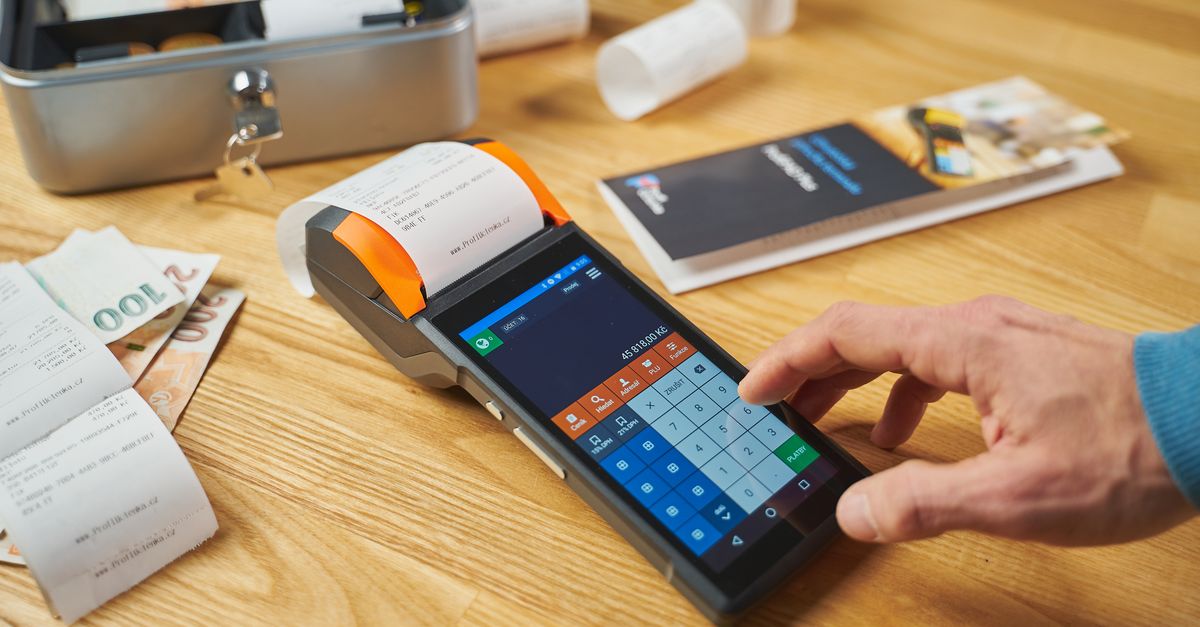
Most people think managing receipts is a chore—a necessary evil for tax time or expense reports. In my experience, the mistake I see most often is treating receipts as a passive record rather than an active tool for financial control. Whether you cling to physical slips or embrace digital scans, your choice dramatically impacts your ability to understand, track, and manage your money. I’ve spent years advising individuals and small businesses on record-keeping, and the shift from simply collecting receipts to actively using them is where true financial clarity begins. It’s not about which format is inherently ‘better,’ but which system genuinely empowers you to make smarter financial decisions, prevent overspending, and simplify your financial life.
Key Takeaways
- Digital receipt systems offer superior real-time spending visibility and automated categorization for proactive financial management.
- Paper receipts, while tangible, often lead to delayed processing and missed opportunities for immediate spending analysis.
- The most effective strategy combines selective paper retention with robust digital scanning and categorization for comprehensive control.
- Preventing financial oversight hinges on an active receipt management habit, regardless of the chosen format.
Digital Receipts Deliver Superior Real-Time Spending Visibility
What changed everything for me, and for many of my clients, was realizing that real-time visibility into spending is non-negotiable for true financial control. This is where digital receipts shine, leaving their paper counterparts far behind. Imagine this common scenario: you’re halfway through the month, and you feel like you’re spending too much, but you can’t pinpoint where the money is going. With a stack of paper receipts shoved in a drawer, you’re looking at a time-consuming, frustrating audit process. With digital receipts, however, you have an immediate, categorized breakdown.
Many modern banking apps and budgeting software integrate directly with your transactions, automatically pulling in digital receipts or allowing for quick uploads. I’ve personally used systems that, after a quick scan or email forward, categorize a purchase for ‘Groceries’ or ‘Dining Out’ within seconds. This immediate categorization is invaluable. Instead of waiting until the end of the month to manually enter 50-60 transactions, you get an instant picture. You can see right away that you’ve already spent 80% of your dining budget for the month after just two weeks, prompting you to adjust your behavior proactively. This is a game-changer for avoiding budget blowouts.
For small business owners, the impact is even more profound. Consider the difference between compiling expenses from a shoebox of faded receipts versus pulling a perfectly organized, searchable digital report. One client, a freelance graphic designer, reduced their quarterly expense reconciliation time from an average of 10 hours to under 2 hours simply by switching to a digital receipt system that automatically captured and categorized expenses from their linked credit cards and email inboxes. This allowed them to pivot from reactive bookkeeping to proactive financial planning, identifying tax deductions they might have missed and optimizing their spending categories. Digital receipts aren’t just about saving paper; they’re about providing the immediate, actionable insights that drive better financial decisions.
Paper Receipts Introduce Unnecessary Delays and Hidden Costs
While the tangible nature of paper receipts might feel reassuring to some, their operational inefficiencies often create unnecessary delays and hidden costs that undermine effective financial management. The biggest issue is the time lag between purchase and processing. When you receive a paper receipt, it often sits in your wallet, then moves to a desk, a pile, or a shoebox. This delay means you’re not seeing your spending in context, making it incredibly difficult to react to overspending trends or identify discrepancies in a timely manner.
In my experience, even the most disciplined individuals struggle with consistent, immediate manual entry of paper receipts into a budgeting system. Life gets in the way. A week turns into two, and suddenly you have a backlog of 30-40 receipts. Each one represents a tiny decision—what was this for? What category does it belong to? Was it a business expense or personal? This mental load adds up, creating decision fatigue and increasing the likelihood of errors. I once worked with a client who, at the end of a particularly busy quarter, discovered they had accidentally categorized a $300 software subscription as a personal entertainment expense, nearly missing a significant tax deduction. Such errors are far more prevalent when relying solely on paper.
Beyond the time and mental cost, there are physical considerations. Paper receipts fade. They get lost. They take up physical space. For a small business, storing years of paper receipts can mean literal boxes taking up valuable office real estate. There’s also the security aspect: a lost wallet with physical receipts exposes purchasing patterns that, while seemingly innocuous, can be aggregated to reveal sensitive spending habits. The idea that paper provides a ‘hard copy’ that’s more reliable often overlooks these practical downsides, ultimately leading to less, not more, control over your finances.
The Hybrid Approach: Selective Paper Retention with Robust Digital Scanning
For many, the most effective receipt management strategy isn’t an either/or but a thoughtful hybrid approach. While digital systems offer unparalleled efficiency, there are specific scenarios where a physical receipt remains beneficial, or even legally required. The key is to be selective and integrate those paper records into your digital flow as quickly as possible. This approach provides the best of both worlds: the immediate processing power of digital and the occasional necessity or comfort of paper.
My recommendation is to minimize paper whenever possible, but to have a clear protocol for when you do receive it. For example, large purchases like a new appliance, or items with warranties, often come with physical receipts that contain important serial numbers or terms and conditions that are easier to reference on a printed document. Similarly, certain business expenses, like mileage logs or handwritten invoices from smaller vendors, might initially exist only on paper. The crucial step is to immediately scan these items into your digital system. Tools like Evernote, Google Drive, or dedicated expense tracking apps (e.g., Expensify, Zoho Expense) allow you to photograph a receipt, auto-extract data, and categorize it on the spot. I advise clients to process these paper receipts daily, if not immediately after the transaction, to prevent backlog.
One client, a contractor, kept all his material receipts in a dedicated physical folder for easy reference during site visits, but he also scanned them into his accounting software every evening. This dual system ensured he had immediate access to detailed purchase info on the job site for quick problem-solving, while also maintaining a clean, searchable digital record for tax purposes and project cost tracking. This selective retention, paired with robust digital integration, means you’re never scrambling to find a specific detail, whether it’s for a return, a warranty claim, or an end-of-year tax review. It acknowledges the real-world utility of paper in specific contexts without sacrificing the efficiency of digital financial control.
Active Habit, Not Just Format, Prevents Financial Oversight
Ultimately, the format of your receipts matters less than your active habit of managing them. A perfectly designed digital system will fail if you don’t use it consistently, and even a well-organized paper system will lead to oversight if you only glance at it once a quarter. True financial control comes from engaging with your spending records regularly, using them to inform future decisions, and catching errors before they become problems.
In my experience, the biggest difference between those who successfully manage their finances and those who constantly feel overwhelmed by them is the proactive engagement with their transaction data. This means setting aside 5-10 minutes each day, or at least every other day, to review recent purchases. For digital users, this might involve quickly checking your budgeting app for new transactions, ensuring they’re correctly categorized, and identifying any questionable entries. For paper users (or hybrid users after scanning), it means a quick review of your digital ledger.
I’ve found that establishing a simple ‘receipt ritual’ is highly effective. For example, before I close my laptop at the end of the workday, I do a quick sweep of my digital banking app and my expense tracker. Are there any uncategorized transactions? Any strange charges? This quick, consistent check takes less than five minutes but dramatically reduces the chances of errors slipping through the cracks. It also keeps my spending top-of-mind, allowing me to adjust my habits proactively rather than reactively. Without this active habit, even the most sophisticated digital receipt systems become mere data graveyards, failing to deliver the promised clarity and control.
The Power of Categorization for Future Financial Planning
The real power of a well-managed receipt system, beyond mere record-keeping, lies in its ability to inform future financial planning through detailed categorization. This aspect is often overlooked, but it’s where receipts transform from historical records into predictive tools. When you consistently categorize every transaction, you build a rich dataset that reveals patterns, highlights inefficiencies, and guides smarter budgeting for the long term.
Think about the typical ‘miscellaneous’ category that swallows up numerous small purchases. In a passive receipt system, this category quickly becomes a black hole, obscuring true spending. With an active digital system, however, you can create granular categories: ‘Coffee & Snacks,’ ‘Online Subscriptions (Personal),’ ‘Household Supplies - Non-Grocery.’ This level of detail makes a monumental difference. After just a few months of diligent categorization, you can look back and see, for example, that you spend an average of $80 per month on coffee, not the $20 you initially budgeted for ‘small treats.’ This insight is a powerful catalyst for change.
For a small business, granular categorization allows for precise cost-of-goods-sold analysis, identification of unprofitable service lines, or negotiation leverage with suppliers. One client, a small e-commerce retailer, used detailed digital receipt categorization to identify that their packaging costs had unexpectedly surged by 15% over six months. Because they had categorized every packing slip and invoice, they could immediately pinpoint the supplier responsible and renegotiate terms, saving thousands of dollars annually. This isn’t just about knowing where your money went; it’s about understanding why, and leveraging that knowledge to optimize your financial future. Without the discipline of consistent, detailed categorization, your receipts are just numbers—with it, they become a roadmap for financial success.
Frequently Asked Questions
Which receipt format is better for tax purposes?
For tax purposes, digital receipts are generally superior. They are easier to organize, search, and store for the required retention periods (typically 3-7 years). Most tax authorities now accept digital copies. However, ensure your digital system provides clear, legible images and stores relevant metadata like date, vendor, and amount.
How can I effectively convert paper receipts to digital?
Dedicated scanning apps (like Adobe Scan, Scanner Pro) or features within budgeting apps (like Expensify, QuickBooks) allow you to photograph receipts with your smartphone. They often use optical character recognition (OCR) to extract key data. For best results, scan immediately after receiving the receipt and dispose of the physical copy if not legally required for retention.
Is it secure to store all my receipts digitally in the cloud?
Yes, generally, storing receipts digitally in reputable cloud services (e.g., Google Drive, Dropbox, dedicated financial apps) is secure. These services use encryption and robust security protocols. However, always use strong, unique passwords and enable two-factor authentication on all your accounts for maximum protection.
What if a vendor only provides paper receipts?
For vendors who only provide paper receipts, follow a hybrid approach. Scan the paper receipt immediately using a mobile app, categorize it, and then decide if the physical copy needs to be retained for any specific reason (e.g., warranty, large purchase). For most everyday transactions, the scanned digital copy is sufficient.
How often should I review my receipts for financial control?
For optimal financial control, I recommend reviewing your receipts and transactions daily or every other day. This quick, consistent check (5-10 minutes) ensures accurate categorization, helps you stay within budget, and allows for immediate identification of any suspicious or incorrect charges, preventing small issues from becoming larger problems.
In the world of personal and business finance, the humble receipt holds more power than most people realize. It’s not merely a record; it’s a window into your spending habits, a shield against oversight, and a guide for future decisions. While the efficiency and immediate insights of digital systems have largely eclipsed the delays of paper, the truly effective approach involves a thoughtful integration of both, driven by a consistent, active habit of engagement. By treating your receipts not as a chore, but as an integral part of your financial control mechanism, you unlock a clearer understanding of your money, allowing you to make smarter choices and build a more secure financial future.


